

This guide will show you how to edit your world settings on your Windrose server.
Click here to order your Windrose server with Citadel Servers today!
1. Log in to your Game Control Panel.
2. Open the File Manager and navigate to the "WorldDescription.json" file in
"<Home>/R5/Saved/SaveProfiles/Default/RocksDB/0.10.0/World/<WorldID>"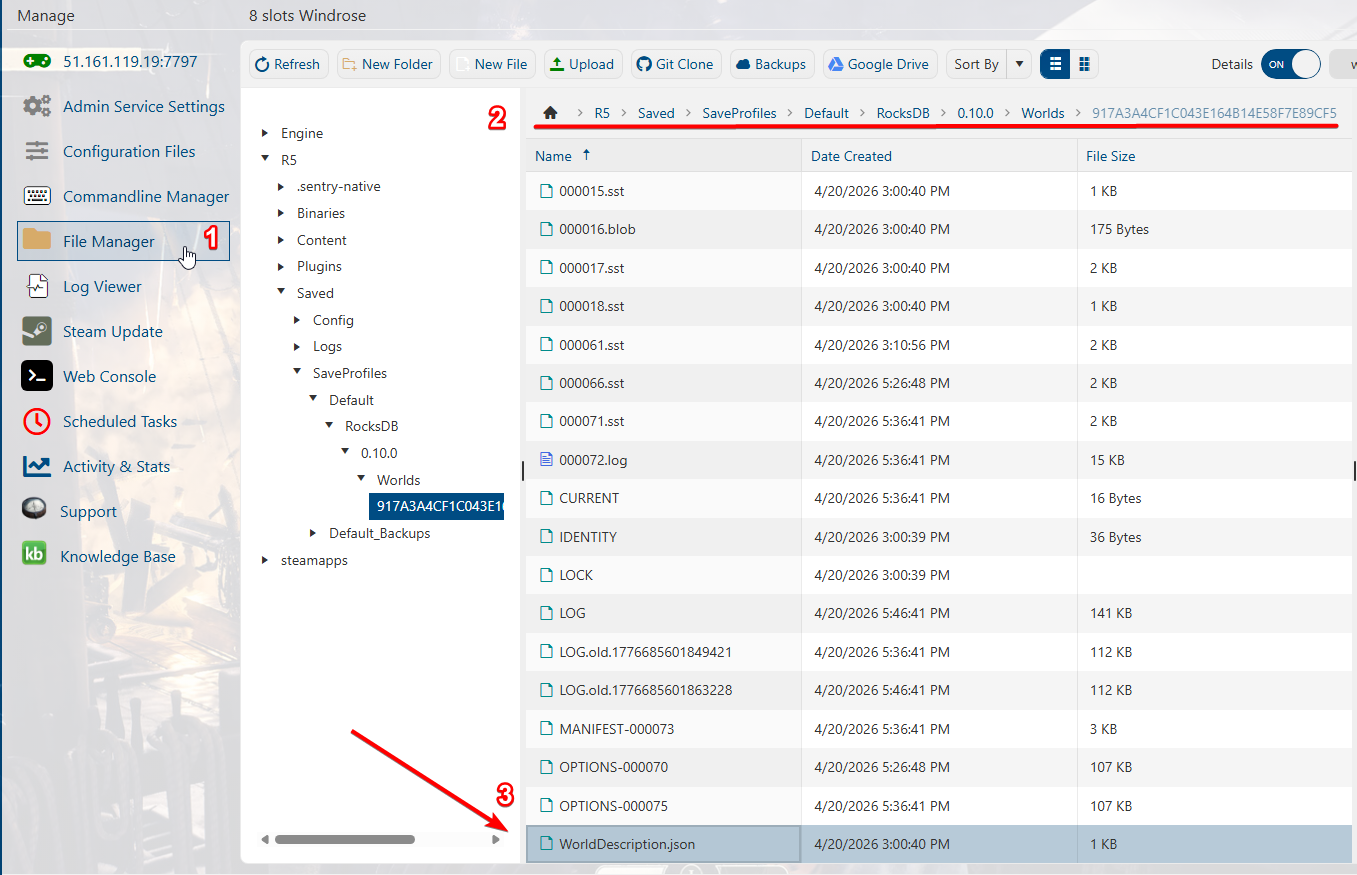
3. Right-click the file and select edit, or double-click the file to start editing.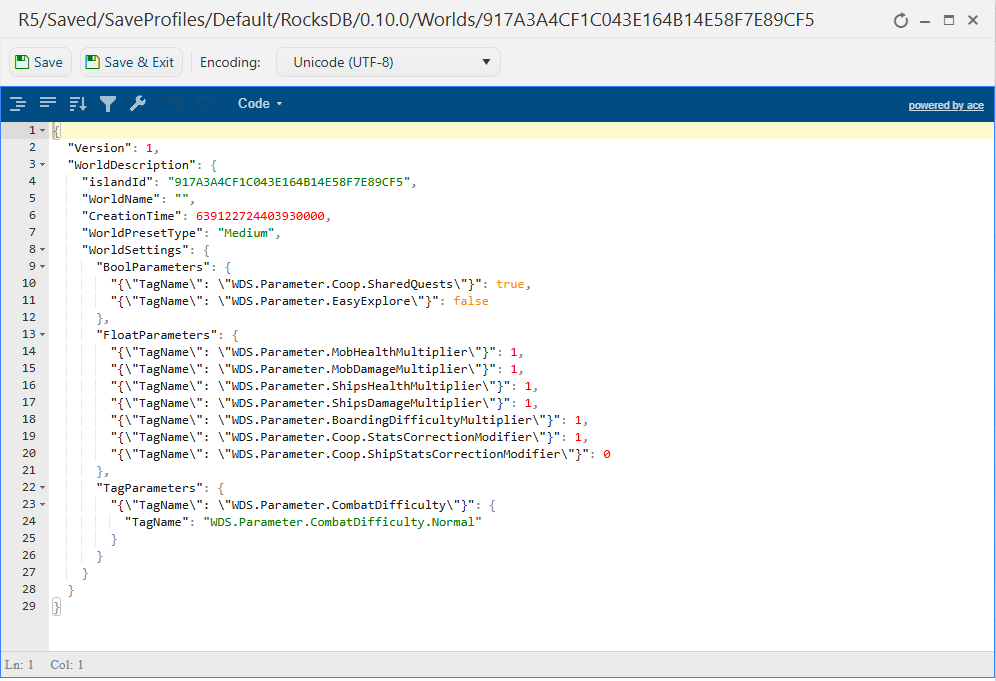
4. Edit the values in the config as you desire. Here is what each command value does:
| Preset | Description |
| Easy | Lower enemy health and damage, easier ship combat, and boarding. |
| Medium | Balanced defaults — the standard Windrose experience. |
| Hard | Higher enemy health and damage, tougher combat encounters. |
| Parameter | Description | Default | Range |
|---|---|---|---|
| CoopQuests | When a player completes a co-op quest, it auto-completes for all players who have it active. | true | true / false |
| EasyExplore | Disables map markers for points of interest (called "Immersive Exploration" in-game — makes exploration harder despite the name). | false | true / false |
| MobHealthMultiplier | How much health enemies have. | 1.0 | 0.2 - 5.0 |
| MobDamageMultiplier | How hard enemies hit. | 1.0 | 0.2 - 5.0 |
| ShipHealthMultiplier | How much health enemy ships have. | 1.0 | 0.4 - 5.0 |
| ShipDamageMultiplier | How much damage enemy ships deal. | 1.0 | 0.2 - 2.5 |
| BoardingDifficultyMultiplier | How many enemy sailors must be defeated to win a boarding action. | 1.0 | 0.2 - 5.0 |
| Coop_StatsCorrectionModifier | Adjusts enemy health and posture loss based on player count on the server. | 1.0 | 0.0 - 2.0 |
| Coop_ShipStatsCorrectionModifier | Adjusts enemy ship health based on player count on the server. | 0.0 | 0.0 - 2.0 |
| CombatDifficulty | Overall boss-encounter difficulty and enemy aggression. | Normal | Easy, Normal, Hard |
5. Click Save on the top right of the window once you are done editing.
You can now start the server with the new settings applied.
Did the above information not work for you?
Please click here to contact our support via a ticket.