
Click here to order your Mount & Blade II: Bannerlord server with Citadel Servers today!
This guide will show you how to Disable Map Voting in your Mount & Blade 2: Bannerlord Server
If you’re running a Mount & Blade 2: Bannerlord server and want more control over which maps are played, disabling map voting can be a useful option. By default, map voting allows players to influence the next map, which may not always fit the experience you want for your server. In this guide, we’ll walk you through how to disable map voting on your Bannerlord server. Whether you’re managing a private server, a community server, or simply want to keep map selection under administrator control, these steps will help you configure your server to prevent players from voting on the next map.
Disabling Map Voting on Your Mount & Blade 2: Bannerlord Server
Click here to order your Mount & Blade II: Bannerlord server with Citadel Servers today!
This guide will show you how to adjust Friendly Fire Settings on your Mount & Blade 2: Bannerlord Server
Friendly fire can have a significant impact on how battles play out in Mount & Blade 2: Bannerlord. Depending on your server’s playstyle, you may want to allow players to damage their teammates for a more realistic experience or disable friendly fire to prevent accidental team damage. Fortunately, you can adjust the friendly fire settings directly through your server configuration. In this guide, we’ll show you how to find and modify these settings, allowing you to customize team damage and create the multiplayer experience you want for your server.
Changing Friendly Fire Settings on Your Mount & Blade 2: Bannerlord Server
1. Log in to your Game Control Panel and navigate to your service.
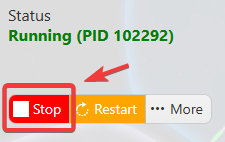
2. Before making any changes, make sure your server is stopped to prevent configuration issues and ensure the changes are applied correctly.
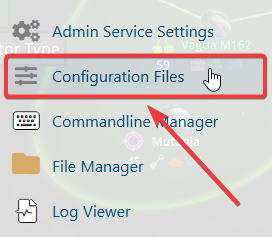
3. Navigate to the Configuration Files Tab.
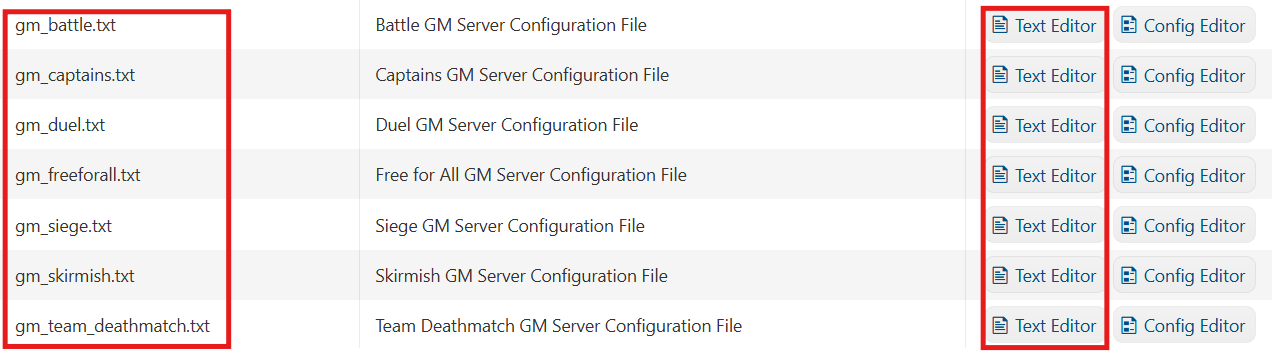
4. Select the configuration that matches the game mode you want to enable on your server and click the Text Editor
5. Make sure the AllowPollsToChangeMaps setting is set to False to prevent players from using polls to change the current map.
Press Enter to create a new line.
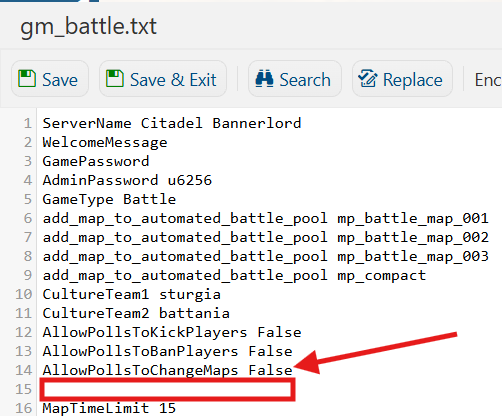
6. Add the following line: disable_map_voting
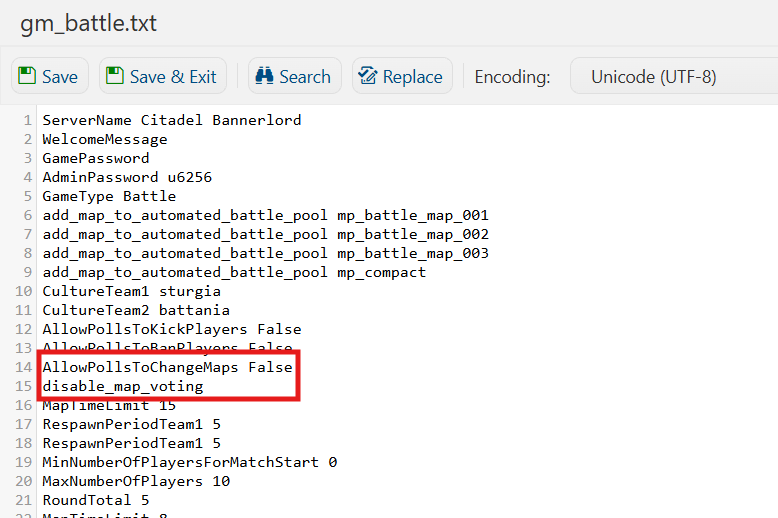
7. Once you’ve made the necessary changes, click Save to apply the updated configuration to your server.

Did the above information not work for you? Please click here to contact our support via a ticket.